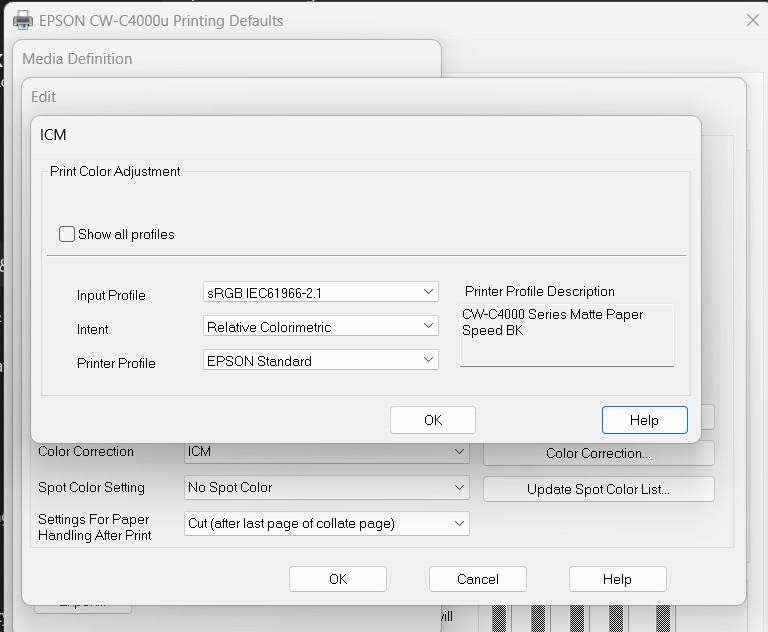
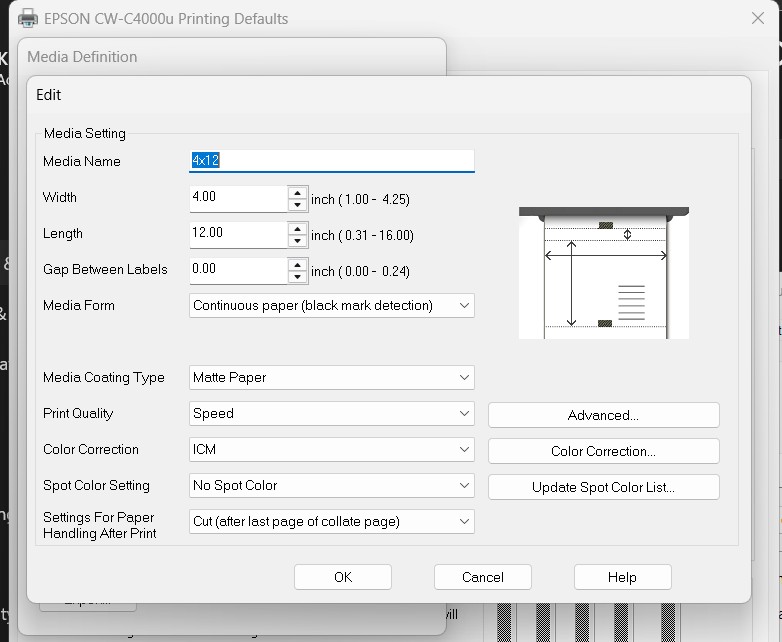
If your prints do not come out with the correct colors, check your Media Definition settings in the printer configuration in Windows.
You can refer to this section of the setup guide to access the correct settings.
The Color Correction profile should be set to ICM.
Click on Color Correction and make sure it is set as follows